
Lighting Handbook2.5 - Google Play
You'll be able to see results in few seconds.
Publisher Description
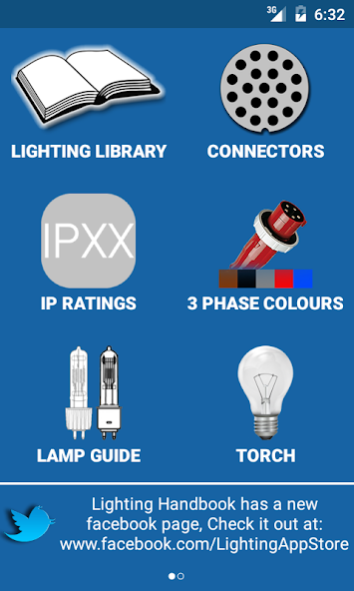
Lighting Handbook is a tool for all theatre, corporate and event technicians.
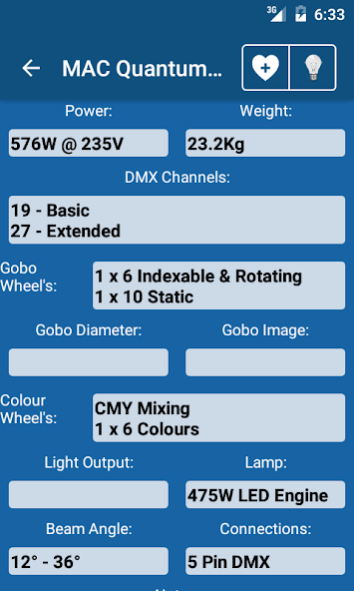
It displays information on over 1000 moving lights, Dimmers, Conventional fixtures & effects:
• Weight
• Power Consumption
• Data Connection types
• Light Output (According to manufactures manual)
• Colour wheels/Mixing
• Gobo Wheels
• How many DMX Channels and in what mode
• Beam Size
• Lamp type
Dimmer Info:
• Mains connectors
• Mains out?
• Data Connectors
• Dimmer connections
• Max Channel count
• Max Channel current
• Max current per phase
• Weight
• Dimensions
• Channel to phase info
• Any additional feature
If your device is connected to the internet, the manual is then available for viewing right within the app. You can also store manuals for offline viewing either within Lighting Handbook or in your favourite PDF viewing app.
One other feature is the Pinout diagrams for the most popular data and power connections:
• Socapex
• Lectriflex
• DMX (3 & 5 Pin)
• 4 Pin - Scroller cable
• RJ-45 (Ethernet)
• DMX Terminators
• Avolites Download cable
• Martin DMX - RJ-45
Another feature is the Lamp Guide, Giving detailed information on individual lamps like Par 64, T class lamps, HPL's and more!
Information given is:
• Wattage
• Voltage
• Cap/Base
• Colour temperature °K
• Average Life Hours
• Beam/Lamp Length
• Any alternative lamp
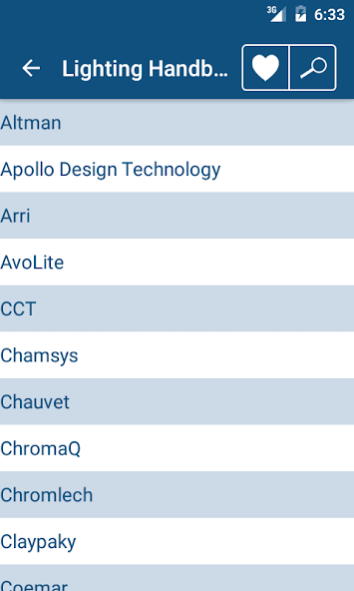
Current manufacturers are:
• Altman
• Apollo Design Technology
• Arri
• Avolite
• CCT
• Chamsys
• Chauvet (Pro only currently)
• ChromaQ
• Chromlech
• Claypaky
• Coemar
• Color Kinetics
• Compulite
• Elation
• ETC
• GLP
• GrandMa
• High End
• i-Pix
• James Thomas Engineering
• Jands
• JB Lighting
• Jem
• LSC
• Light Processor
• Look Solutions
• Martin
• Novalight
• PRG
• Pulsar
• Rainbow
• Robe
• Robert Juliat
• Selecon
• SGM
• Showtec
• Strand
• Studio Due
• Thomas
• Vari Lite
• Wybron
• Zero 88
The library of manufacturers can be updated from within the app - Go to the settings menu, from there you'll be able to see what version of the library is currently installed and if connected to the internet, what version is now available for download. Click the "Update Library" Button and it will download the latest library and install into Lighting Handbook.
If you have a specific manufacturer or light you'd like including, please e-mail me and I'll try and include it in the next update.
About Lighting Handbook
The company that develops Lighting Handbook is Andrew Derrington. The latest version released by its developer is 2.5.
To install Lighting Handbook on your Android device, just click the green Continue To App button above to start the installation process. The app is listed on our website since 2016-05-19 and was downloaded 0 times. We have already checked if the download link is safe, however for your own protection we recommend that you scan the downloaded app with your antivirus. Your antivirus may detect the Lighting Handbook as malware as malware if the download link to rg.adrengton.lighting is broken.
How to install Lighting Handbook on your Android device:
- Click on the Continue To App button on our website. This will redirect you to Google Play.
- Once the Lighting Handbook is shown in the Google Play listing of your Android device, you can start its download and installation. Tap on the Install button located below the search bar and to the right of the app icon.
- A pop-up window with the permissions required by Lighting Handbook will be shown. Click on Accept to continue the process.
- Lighting Handbook will be downloaded onto your device, displaying a progress. Once the download completes, the installation will start and you'll get a notification after the installation is finished.
Program Details
System requirements
Download information
Pricing
Version History
version 2.5
posted on 2016-05-19
New V2.5,New look, New PDF reader, Fixed a lot of crashes, Bugs squashed. lots more.,It's bringing the Android version closer to the iOS version, Now sharing the same PDF reader, It has the option to enable the torch while reading a manual for when working in the dark on a light.,You can now also e-mail the manual from within the reader.,The app now only shows you the info that you want and need to see, When you first launch the app make sure you set your voltage and weight preference.
version 2.0.0
posted on 2013-04-07
Several fixes and updates
Disclaimer
Official Google Play Link
We do not host Lighting Handbook on our servers. We did not scan it for viruses, adware, spyware or other type of malware. This app is hosted by Google and passed their terms and conditions to be listed there. We recommend caution when installing it.
The Google Play link for Lighting Handbook is provided to you by apps112.com without any warranties, representations or guarantees of any kind, so access it at your own risk.
If you have questions regarding this particular app contact the publisher directly. For questions about the functionalities of apps112.com contact us.
